Hi there,
PocketQuery brings external data from SQL databases and REST APIs directly into Confluence pages.
👉 Learn more about PocketQuery
What do you think about this:
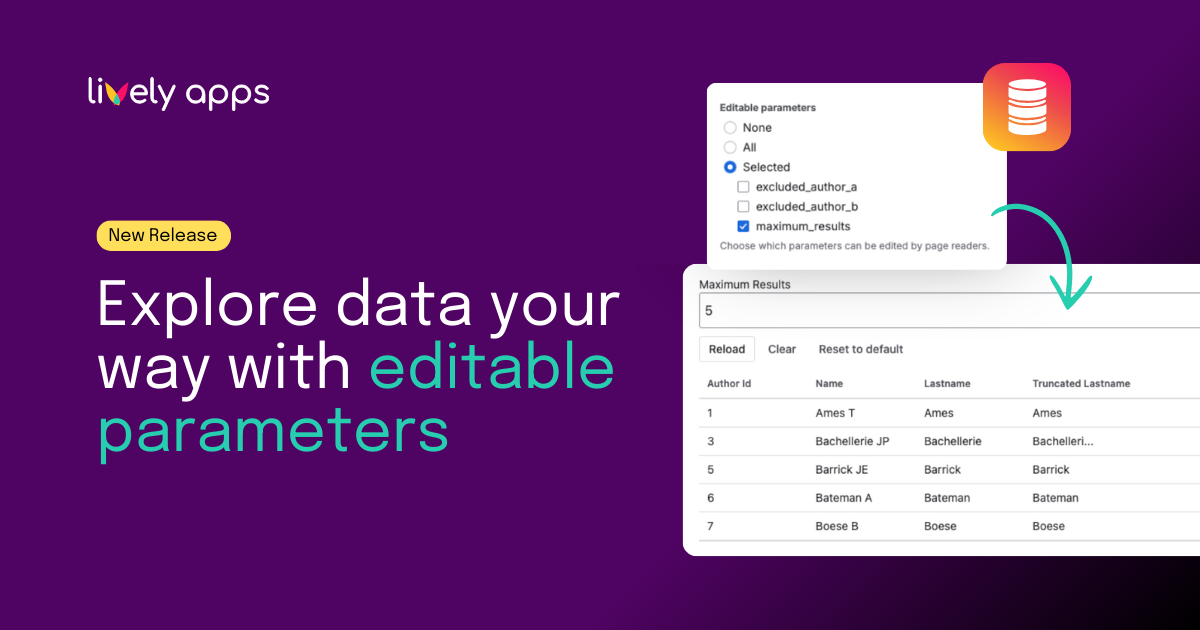
Queries in PocketQuery have always supported dynamic parameter inputs. With the new Editable Parameters feature, you can now decide in the macro settings whether all parameters or only selected ones are editable for page readers.
This makes Confluence pages more flexible for teams while keeping control with admins and page owners.
The key question is no longer just how data is displayed, but which parameters should be adjustable - and by whom.
One query, flexible pages
Many teams use PocketQuery to bring live data into Confluence pages. These pages are often read by people who are not admins, not developers, and not familiar with query logic.
They might want to:
- change a date range
- switch a region or team
- adjust a filter to answer a follow-up question
At the same time, admins want to make sure that:
- sensitive parameters stay protected
- queries remain valid
- internal logic is not exposed
How it works on a Confluence page
- Create a query with parameters as usual
- Add the query to a page using the PocketQuery macro
- In the macro settings, select which parameters should be editable
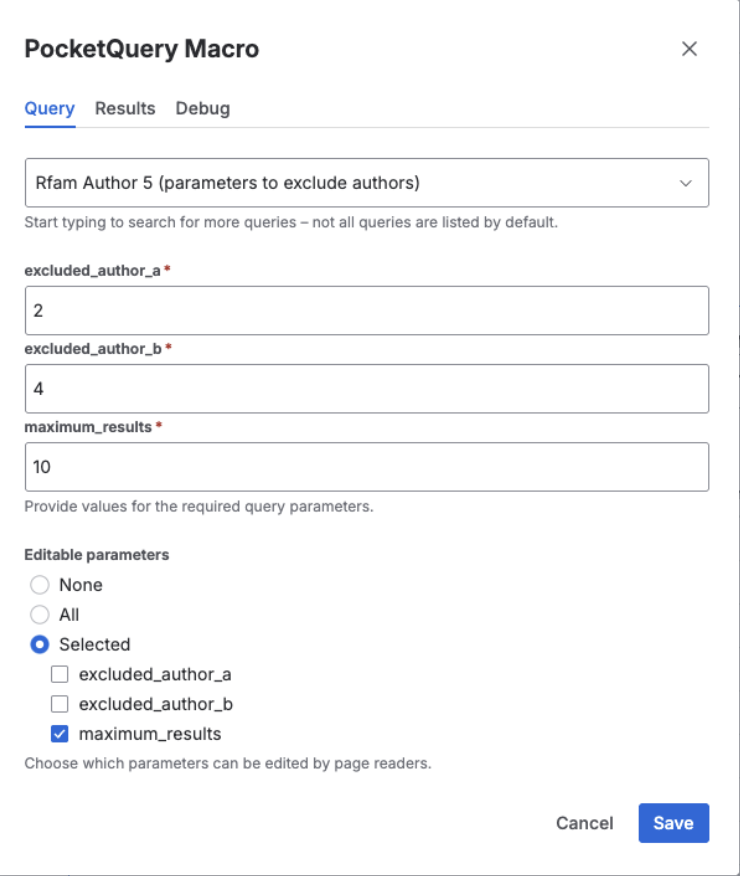
- Save the page
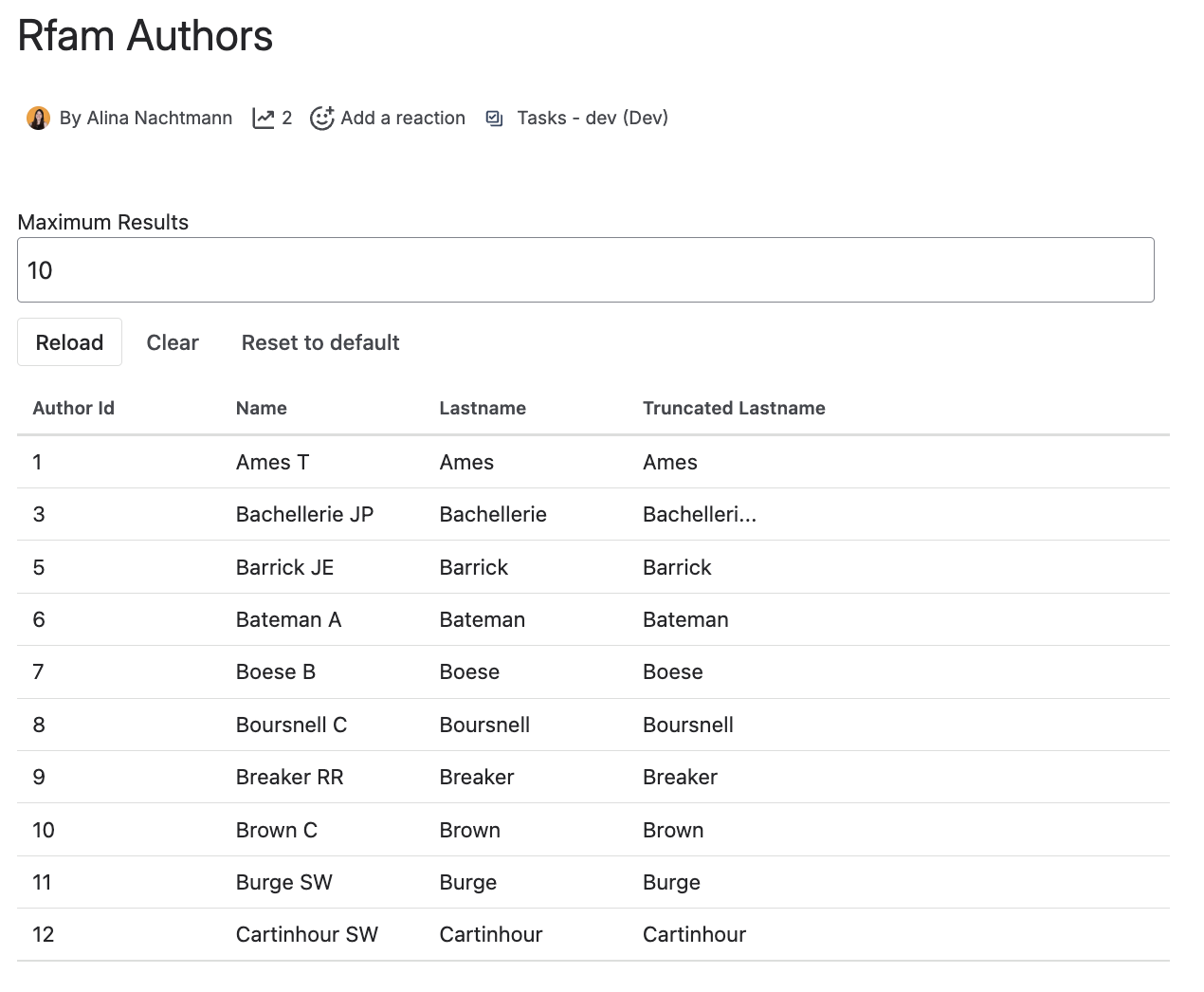
Once the page is published:
- readers can adjust allowed parameters
- restricted parameters cannot be changed
- the query structure stays intact
Why this matters for teams
Editable Parameters help teams work more independently with data and make Confluence pages more useful without making them more complex.
Instead of creating multiple pages or queries, one page can now serve different needs. Readers can explore the data within safe boundaries, while admins stay in control.
Teams can:
- explore data without leaving the page
- answer follow-up questions on their own
- reuse the same page for multiple scenarios
Admins keep control, while readers gain just enough flexibility to work with the data.
Common use cases
Editable Parameters work especially well for:
- reports with adjustable time ranges
- dashboards filtered by team, region, or status
- pages shared with stakeholders
- reference pages used across departments
Get started with editable parameters
Editable parameters are available now in PocketQuery for Confluence Cloud.
If you already use PocketQuery, you can start configuring editable parameters in your macros today. If you are new, this feature is a great example of how PocketQuery combines control and flexibility when working with external data in Confluence.
👉 Learn more in the documentation
👉 Try PocketQuery for free
Questions or feedback?
If you are unsure how to design queries with editable parameters, or want to explore best practices for your use case, feel free to reach out. Many PocketQuery features are shaped directly by customer feedback, and we are always happy to help.