Hi there,
for many teams, Confluence is the central hub for documentation, dashboards, and shared knowledge. As content grows, keeping data accurate and easy to maintain becomes critical.
PocketQuery brings live data from SQL databases and REST APIs directly into Confluence, replacing static tables and manual updates with always up-to-date data right where collaboration happens.
Queries are at the heart of this approach. They are often reused across pages and spaces as shared building blocks. With our latest update, PocketQuery Cloud introduces a new feature that makes working with queries clearer, safer, and more accessible.
The challenge of growing content
As Confluence spaces grow, queries are often reused across multiple pages and dashboards. Over time, it becomes harder to keep track of where a query is used and how changes might affect existing content.
This can make updates feel risky, especially for newer users. Even small changes may raise concerns about unintended side effects.
Our goal with this update was simple: make query usage transparent and updates predictable.
See where your queries are used
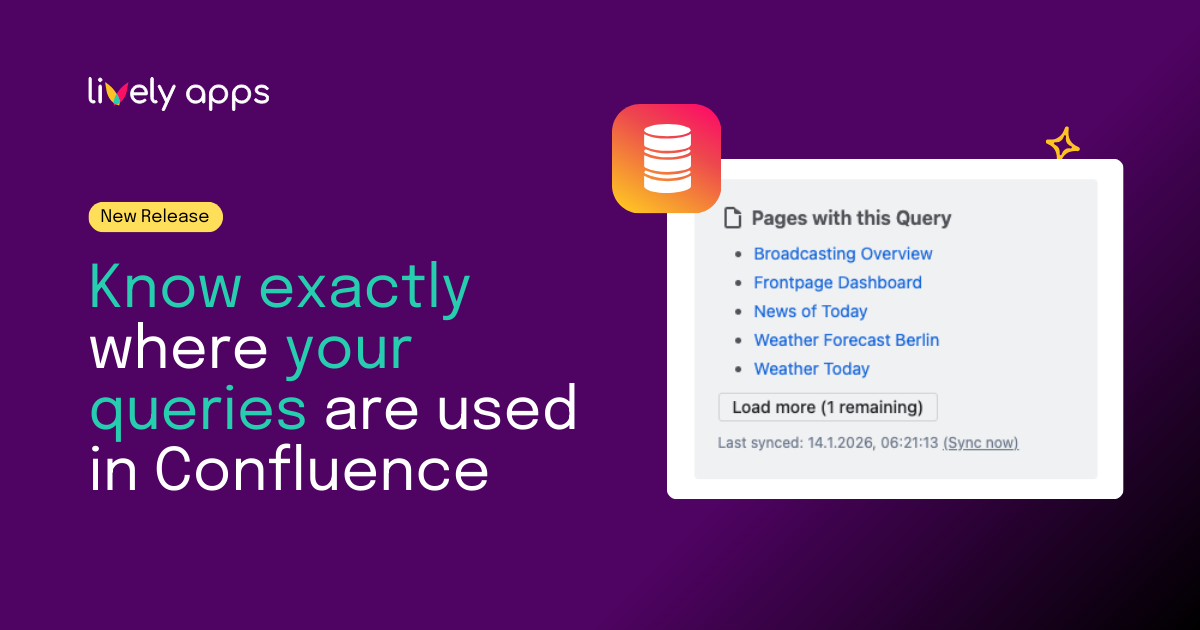
With Query Usage, PocketQuery now shows you exactly where a query is used across Confluence pages, directly inside the query editor.
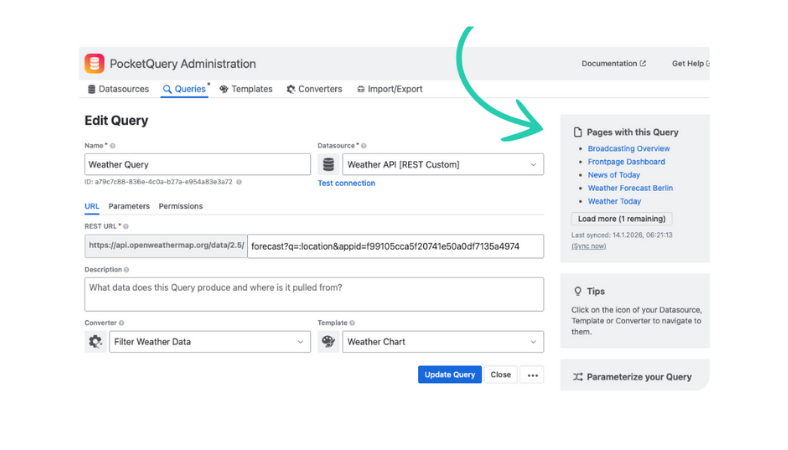
When you open a query, you’ll find a new “Pages with this query” section in the sidebar that:
- Lists all Confluence pages using the query
- Provides direct links to each page
- Gives you immediate context before making changes
This information is always available while editing, so you don’t have to leave your workflow to search for answers elsewhere.
How this helps in everyday work
Query Usage makes dependencies visible at a glance, so you always know where queries are being used.
It helps you safely clean up or refactor older queries by showing which Confluence pages rely on them. Immediately see which pages are affected before making adjustments.
For onboarding or ownership handovers, PocketQuery admins get instant context on how queries support existing pages and workflows - no tribal knowledge required.
Built for teams of all sizes
Whether you are just getting started with Confluence or managing a large enterprise knowledge base, clarity and trust in your tools matter.
Query Usage helps bridge the gap between flexibility and control, making PocketQuery easier to use as your content grows.
The new feature is available now in PocketQuery Cloud. Install the app for free from the Atlassian Marketplace.
Best,
Alice from Lively Apps


.png)