Hi there,
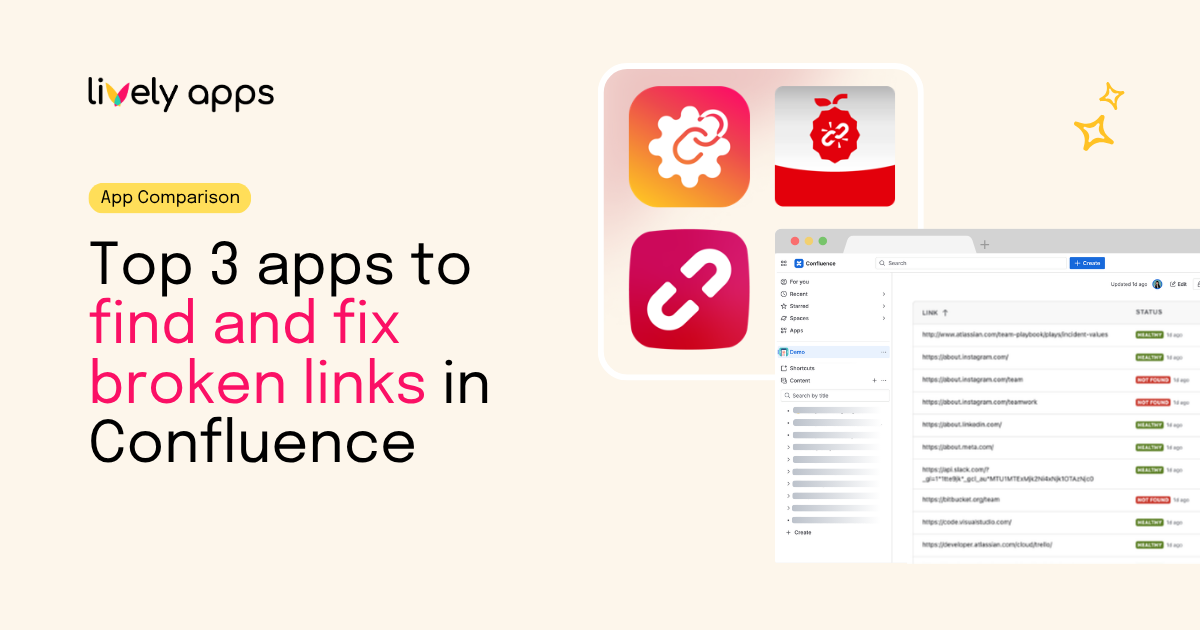
If your Confluence starts filling up with dead links, three apps come up again and again when you go looking for a fix: Link Management by Lively Apps, Broken Links+ for Confluence by Apps+, and Easy Link Checker by EPS. We put all three through a detailed comparison so you don't have to.
Why broken links became a bigger deal than they used to be
Confluence still doesn't ship a proper built-in link checker. There's an open feature request on jira.atlassian.com that's been sitting there for years, so for now a dead link can quietly linger until a reader stumbles on it and tells you.
And a single broken link isn't just embarrassing anymore. Migrate from Data Center to Cloud and every absolute link to your old host goes stale overnight. Reorganize a knowledge base and half your cross-references point at moved or deleted pages. External docs change without warning. Worst of all, when Rovo or another AI assistant treats your Confluence as ground truth, a stale link means it can confidently cite a page that no longer exists.
So a link-management app really needs to do three things well: show you where your links are, catch the failures before your readers do, and make fixing them painless. The three apps below each lean into a different part of that job.
Who's in this comparison
Every row here was checked directly against the Atlassian Marketplace listing.
Install counts are the figures shown on each listing when we checked on July 24, 2026. They include free trials and change often, so read them as order of magnitude rather than an exact customer count.
Feature-by-feature comparison
There's no universal winner here, and that's the point. Broken Links+ is built around surfacing problems where authors are already working. Easy Link Checker has the widest scan scope. Link Management is the only one of the three that pairs proactive monitoring with regex-based bulk fixing and a separate layer for organizing links.
The three apps in detail
1. Link Management by Lively Apps - the most comprehensive option
As noted above, this is our app.
Link Management splits into two editions. Standard is for teams who mostly want control over the links they already have. You get a sortable overview of every link in a space, you can edit individual URLs or rewrite many at once with regex-based bulk editing, and you can rename a domain or base URL without opening every affected page. The Page Links macro turns the links on a page into a clean, structured list, and Starred Domains keep your most-used destinations one click away.
That bulk-editing layer is the piece nobody else offers, and it's the one that saves you during a Data Center-to-Cloud migration or a big reorg. When your host changes from wiki.acme.com to acme.atlassian.net, you rewrite every link to the old host in a single operation instead of grinding through pages one at a time.
Advanced adds the monitoring layer on top: a Broken Link Detector that checks links across a space, Scheduled Link Checks that run automatically on whatever cadence you set (a daily hygiene sweep, say), a Space Health Score that summarizes link quality at a glance, and a Fix Queue that hands admins a prioritized to-do list of what to repair. So Advanced isn't just "Standard plus a scanner" - it's a genuinely different workflow.
Where it's weaker: we don't show a broken-link badge in the page byline the way Broken Links+ does, and we don't crawl arbitrary external websites or validate email addresses the way Easy Link Checker does. It's also Cloud-only - there's no Data Center build - so if you're still on DC, this isn't your tool yet.
2. Broken Links+ by Apps+ - the best per-page experience
Broken Links+ is Apps+'s tightly focused take on detection and visibility. Its standout feature is the byline notice on Confluence content: authors can see that a page has broken references without ever opening an admin screen, and the dialog breaks the problems down by type - broken pages, blog posts, attachments, spaces, and external links.
There's also an instance-wide view where admins can sort and filter every page with broken links, including filters by space and failure type, plus automatic periodic monitoring so nobody has to remember to run a scan. The app is Cloud Fortified, which some procurement teams treat as a hard requirement.
Where it's weaker: Broken Links+ is a detector by design. It doesn't do regex bulk editing, there's no full all-links overview, and there's no equivalent of the Page Links macro. If you want to know what's broken, it's excellent. If you want to fix things at scale, you'll reach for something else.
3. Easy Link Checker by EPS - the widest scanning scope
Easy Link Checker stakes out its own territory: it's the only app of the three that looks outside Confluence. Point it at an external website - your marketing site, a partner portal, public documentation, a regulatory source - and it'll crawl that site for broken links and report back inside Confluence.
It's also the only one that validates email addresses, which is genuinely handy on support and contact pages. You get flexible exclusion rules, custom status-code handling, and page/space scoping to keep false positives down, and recent releases let you replace a broken link straight from the scan results. The app is Cloud Fortified.
Where it's weaker: the Marketplace listing itself says Forge support is "coming soon," so today it's still on the older Connect architecture - a no-go for some security-sensitive teams. There's no regex bulk editing and no Page Links equivalent, and the experience is organized around scan runs rather than a live, always-there overview of every link.
Pricing at 50 users
These numbers come straight from the Atlassian Marketplace pricing calculator on each listing, checked on July 24, 2026. Pricing is tiered by your total Confluence user count, so the only fair comparison is at a fixed team size.
A couple of things stand out. Link Management Standard runs less than a third of either competitor at this tier - if all you need is link editing and the Page Links macro, it's by far the cheapest credible option. And Advanced, which folds in the Broken Link Detector, scheduled scans, and the Space Health Score / Fix Queue, still lands well below both competitors on price, while adding bulk editing and space-health tooling the others don't offer.
That said, price isn't the whole story: a byline notice or an external-site scan might be worth more to your team than bulk editing. One thing to remember - Marketplace billing is based on your total number of Confluence users, not how many people actually open the app, so run your own numbers in the calculator before you quote a figure to finance.
How to choose: three honest recommendations
Pick Link Management if your main headache is editing and reorganizing links at scale, not just spotting them. The classic cases are Data-Center-to-Cloud migrations, handbook reorgs where a product or vendor gets renamed, and any space with thousands of links that need to stay coherent. Standard gets you the overview, bulk editing, and the Page Links macro; Advanced adds the detection and Fix Queue so you get the monitoring story without buying a second app.
Pick Broken Links+ if what you want is the cleanest monitoring experience and you're happy fixing issues page by page. The byline notice is a real piece of UX the others don't match, and Cloud Fortified status will keep strict procurement reviews happy. Just know you're buying a detector, not an editor.
Pick Easy Link Checker if your link hygiene reaches beyond Confluence - you also want to keep an external website's links honest, or email-address validation matters for your contact and support pages. Just confirm the not-yet-Forge architecture fits your security policy.
Plenty of teams end up combining tools - Link Management for bulk remediation, Broken Links+ for the byline notice, for example. But most people should start with whatever's eating the most time right now: finding failures, getting page owners to act, making large-scale URL changes, or checking destinations outside Confluence.
Try them yourself
Marketplace listings show feature coverage, not how an app behaves in your spaces - with your permissions, redirects, and false-positive patterns. All three offer a free tier or trial, so the fastest way to decide is to run each one against content you actually care about and walk the full loop: find an issue, fix the URL, and confirm it sticks.
For a useful trial, throw three kinds of content at each app: a mature space with years of links, a recently migrated or reorganized space, and one link-heavy handbook. Watch how redirects, permission-protected pages, attachments, and external domains that block bots are handled - then check whether page owners understand what to do next. Detection accuracy matters, but the winner is the app that turns a scan into verified fixes with the least repeated work.
Sources
- Link Management, Atlassian Marketplace
- Broken Links+ for Confluence, Atlassian Marketplace
- Easy Link Checker, Atlassian Marketplace
- Link Management Advanced: proactive broken-link detection, Lively Apps blog
- Confluence feature request: identify broken links, jira.atlassian.com