Important Confluence pages are rarely “done.” Specs get revised, policies get updated, and documentation keeps moving - but the live page still has to stay accurate while you work. Editing in place works until it doesn’t: half-finished changes go live, two people overwrite each other, or nobody dares touch a critical page at all.
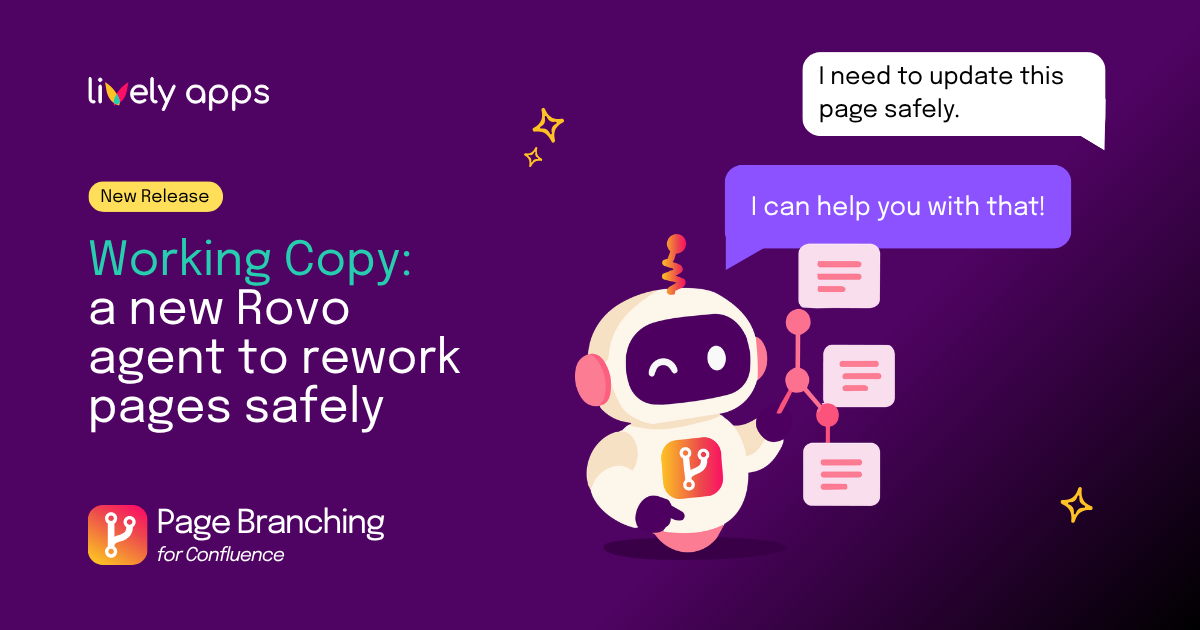
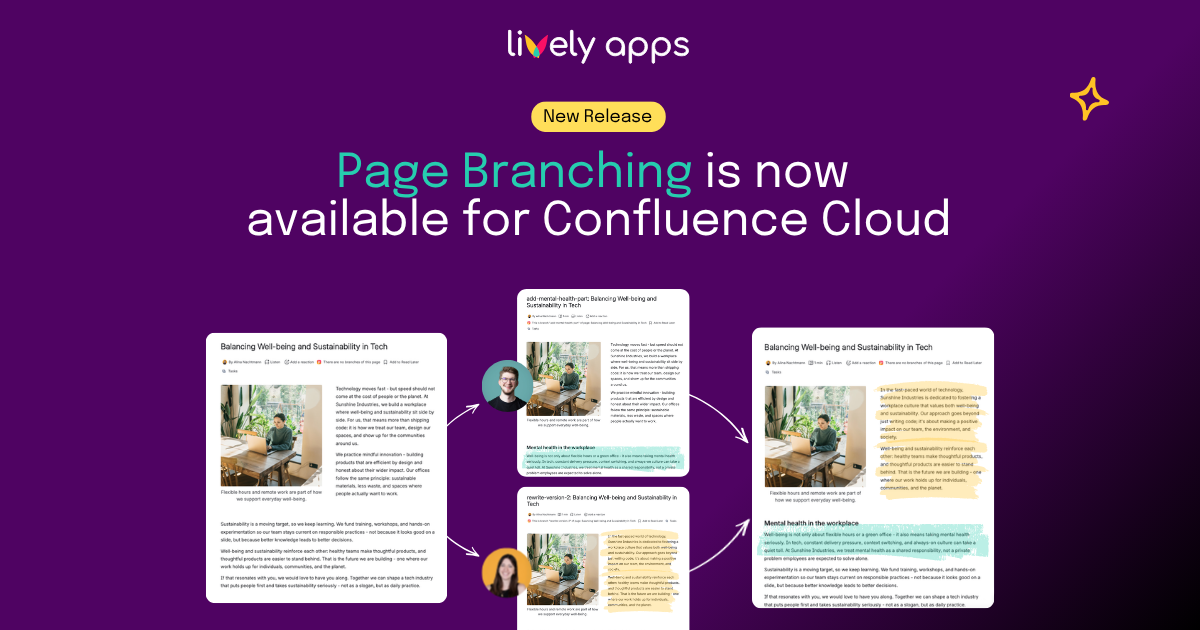
Page Branching for Confluence Cloud fixes that with a workflow teams already know from Git: create a branch (an independent copy of the page), edit freely, review changes in a visual diff, and merge back when you are ready. The original stays untouched until you decide to publish.
Where Page Branching makes the difference
Update important pages without disrupting readers
Runbooks, policies, and product specs need regular updates, but readers still depend on the live version every day. With a branch, you work on a copy of the page at your own pace while the live version stays unchanged until review is done and you merge.
Get sign-off before anything goes live
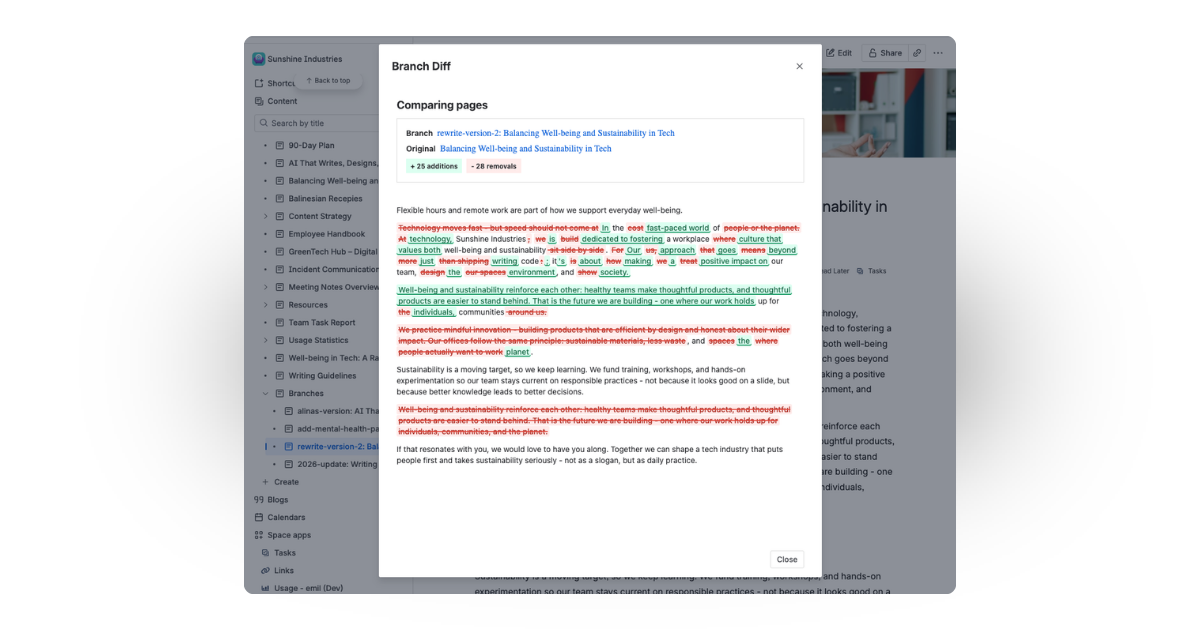
Stakeholders need to approve documentation changes, but comparing drafts in Confluence is slow and error-prone. The visual diff shows exactly what changed - additions, removals, and complex content included - before a single word reaches readers.
Edit in parallel without stepping on each other
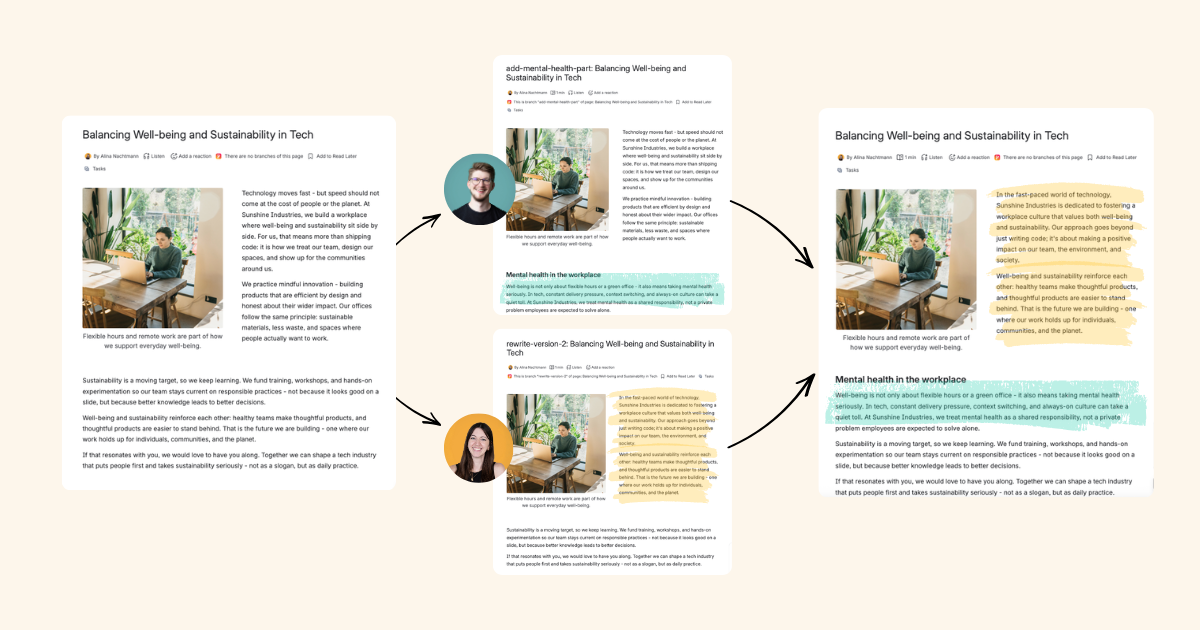
When two people edit the same page at once, or someone updates it while another person is mid-draft, work gets lost or changes are silently overwritten. With their own branches, everyone works on a separate copy. If the original page changed in the meantime, Page Branching surfaces merge conflicts clearly - so nothing publishes by accident.
Let AI draft - you approve the merge
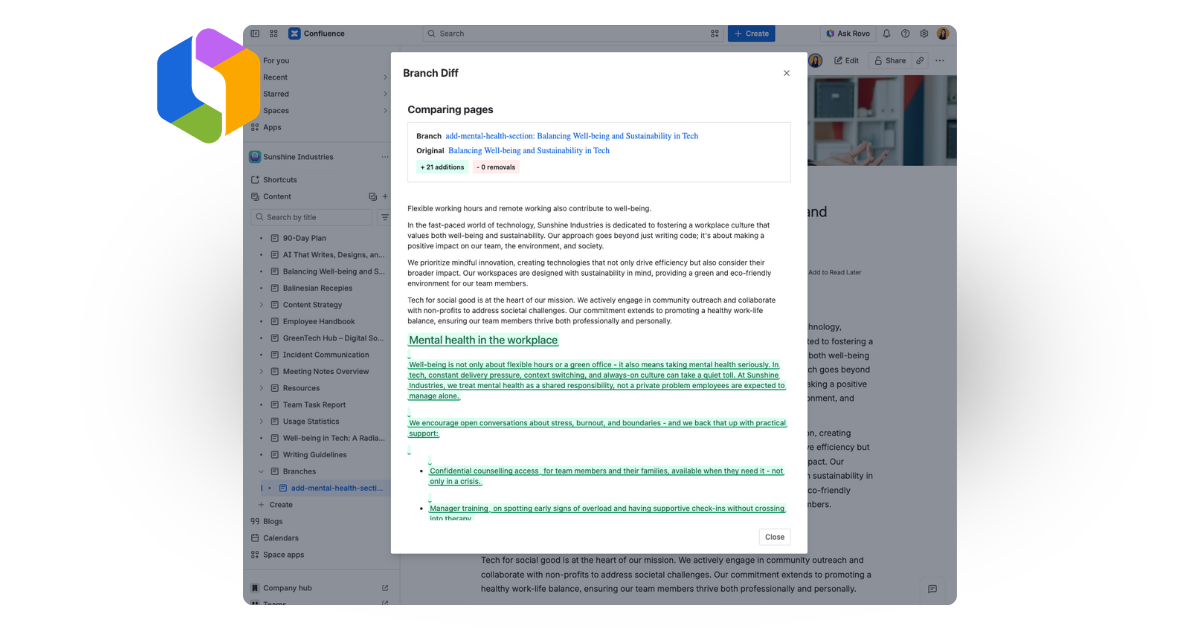
Many teams want AI to speed up writing, but few are willing to give agents direct write access to live documentation. Instead, AI can work on a branch, not the live page. You review every suggestion in the diff, and nothing goes live until someone clicks merge. AI does the drafting - you keep control.
Who is this for?
New to Page Branching? If your team drafts policies, specs, or documentation in Confluence and wants a safer way to iterate, Page Branching gives you a clear draft-and-publish workflow without leaving Confluence.
Migrating from Data Center? If branching was part of how your organization worked on Server or Data Center, you can bring that habit to Cloud - same mental model, native Cloud integration, no workaround required.
Exploring AI-assisted documentation? If your team is testing agents or AI writing tools in Confluence, Page Branching gives you a governed path - isolated drafts, human review, and a clear approval step before anything goes live.
Get started
Page Branching for Confluence Cloud is on the Atlassian Marketplace. Install it, create your first branch, and you are up and running in minutes.
Step-by-step guides, diff details, and merge behaviour are in the product documentation and release notes.