
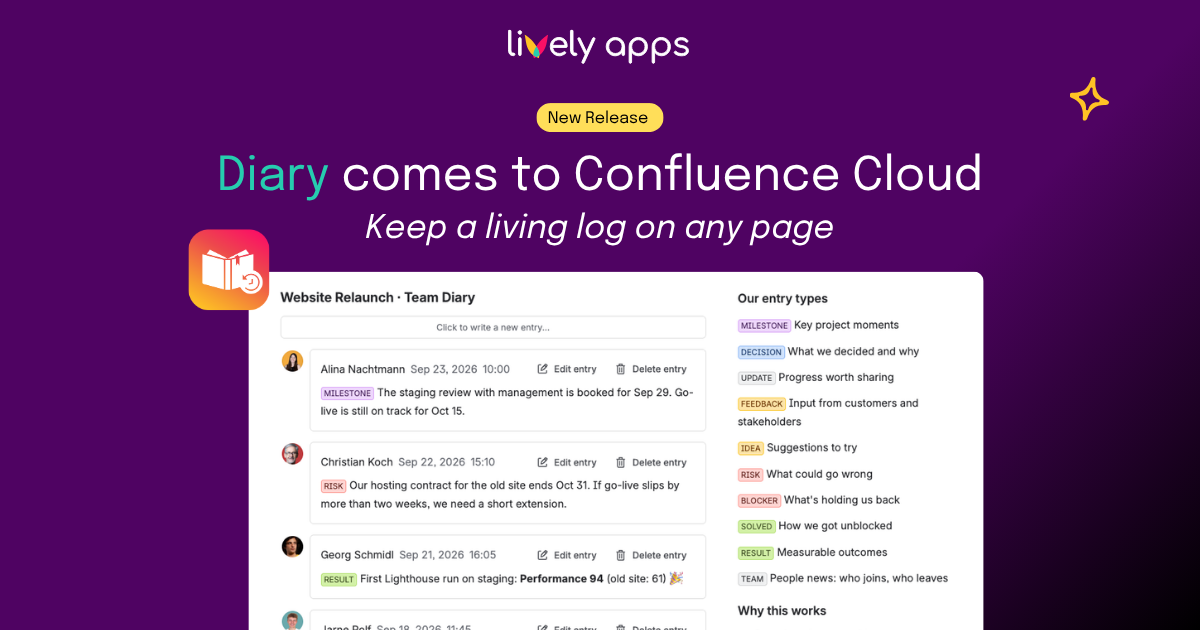
Some Confluence pages are never really finished. A meeting page gets a new decision every week. A support page gets a new customer call every day. A project page gets a new update with every meeting. Diary for Confluence Cloud turns any of these into a living log: short, timestamped entries anyone can add right on the page - so the page keeps growing without ever getting messy.
How it works
Add the Diary macro to any Confluence page, and write, edit or delete an entry without ever opening the page editor - it's live the moment you hit save. And because every entry is real page content, it's searchable, versioned, and follows the page's own permissions, just like anything else you'd write there.
Two styles to match the Diary
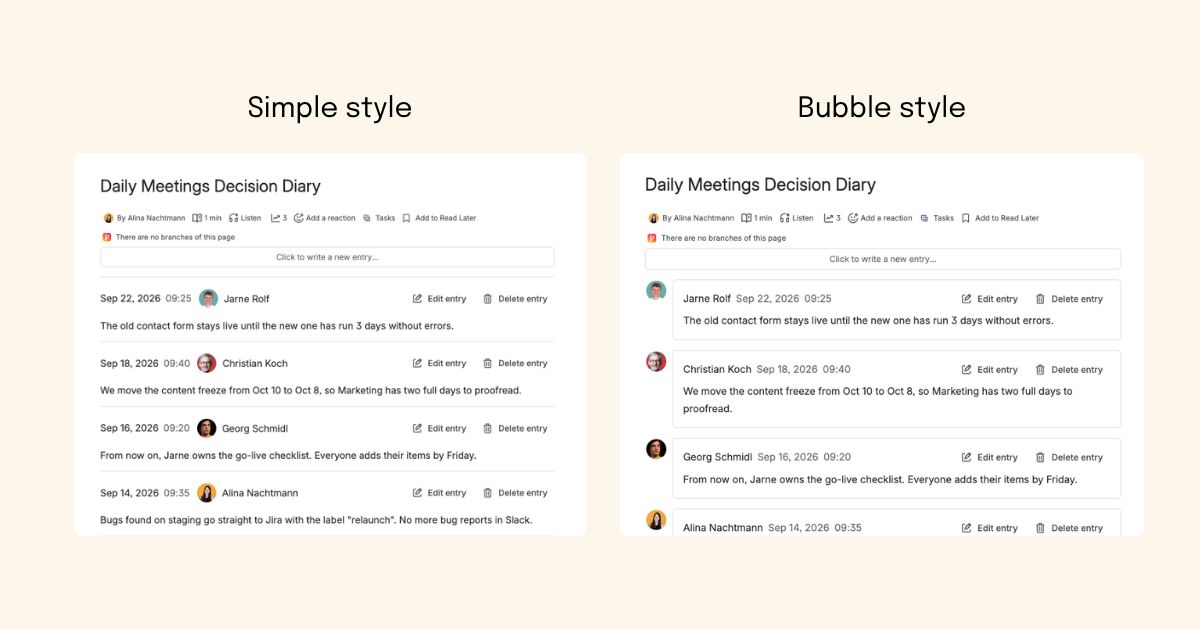
Every Diary macro can be set to one of two styles. Simple draws a plain line between entries - clean and dense, ideal for a changelog or a decision log people scan quickly. Bubble places each entry beside its author's name and avatar - a better fit for a team diary or a customer call log, where knowing who wrote what matters as much as the content itself.
Page templates: consistent entries from the start
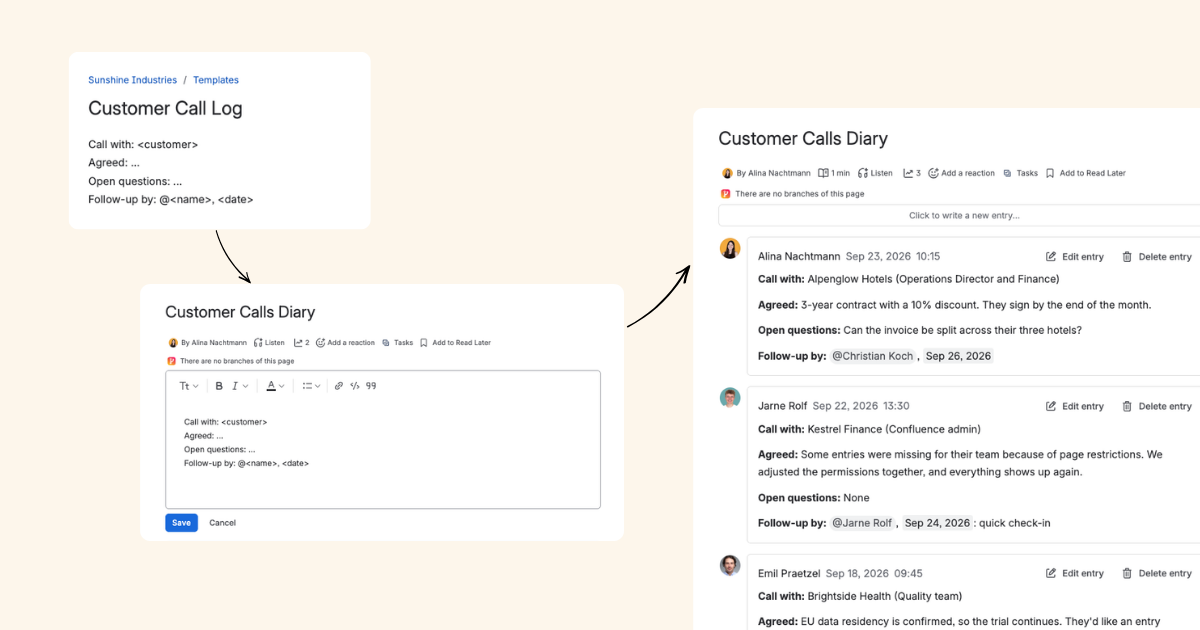
A Diary can start every new entry from a page template you choose in the macro's configuration - so instead of everyone improvising their own notes, each entry opens already structured, ready to fill in. Define the headings that matter once, and every entry that follows uses them automatically - no one has to remember the format, especially not when they are in a hurry.
For example, customer-facing teams can use this for call logs: one template with what the customer asked, what was answered, and next steps, so every call is documented the same way, no matter who took it or how rushed they were.
Use Cases for Your Diary
Daily meetings: a decision Diary
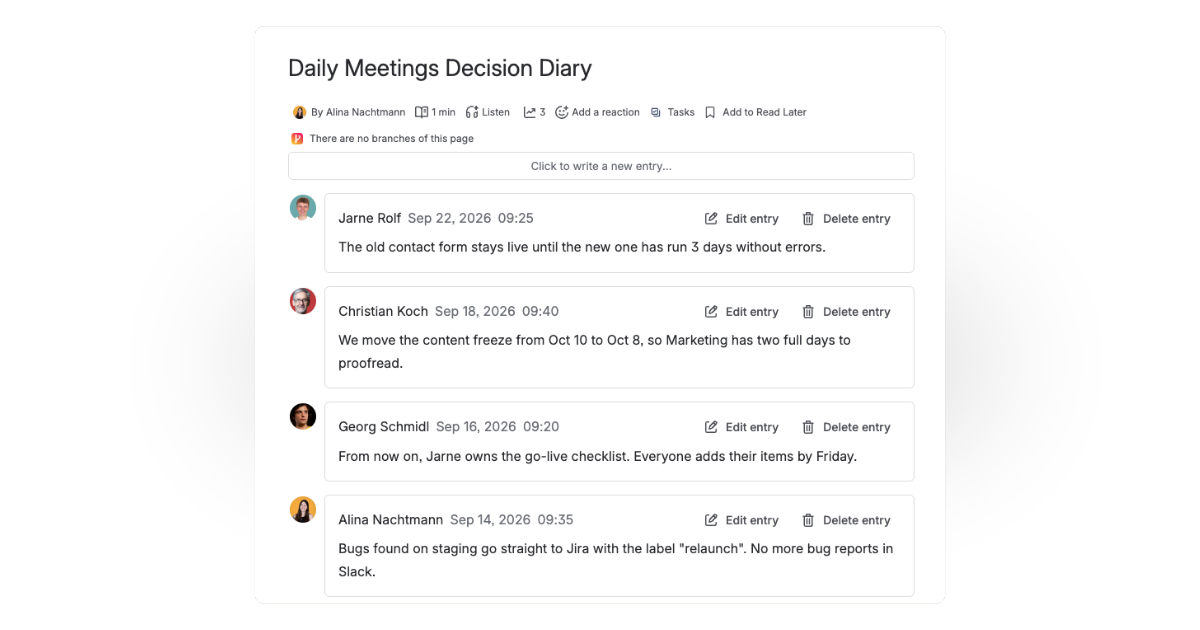
Instead of digging back through old notes to find what was actually decided, teams add a Decision Diary to their standup or planning page. After each meeting, whoever ran it drops in one entry with what was decided. Months later, the full history is still there, on the same page, in order, and searchable.
Releases and changelogs that write themselves
Product teams run their Releases / Changelog page as a Diary: one entry per release, added the moment it ships. No editing an ever-growing table, no fighting over who touched the page last - just a new, timestamped, attributed entry.
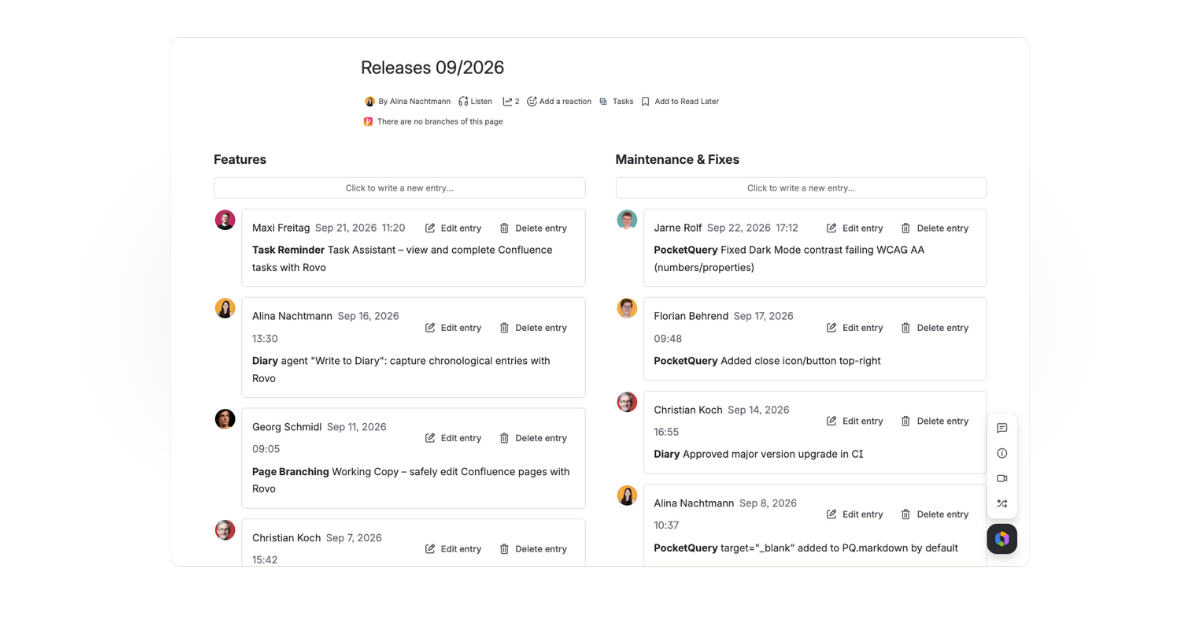
A shared Diary for a project team
For a time-boxed effort like a Website Relaunch, a cross-functional team keeps one shared Team Diary page. Design, content and dev each add their own updates as they happen, in their own words - building a project history nobody has to reconstruct afterwards.
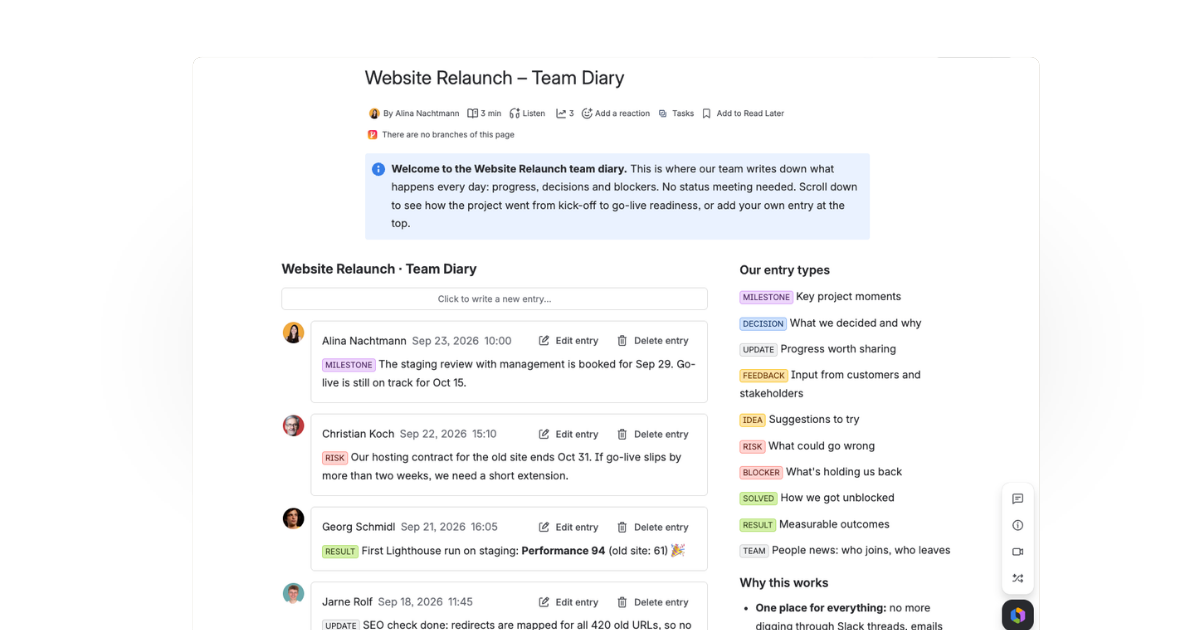
Get started
Diary for Confluence Cloud is on the Atlassian Marketplace. Install it, add a Diary macro to a page, and start your first log in minutes. Step-by-step guides are in the product documentation.






.png)