Some Confluence pages have to stay right at all times: policies, runbooks, specs. People rely on them every day, yet they keep changing. Editing in place means half-finished changes show up for readers, two people get in each other's way, or the rewrite simply never happens.
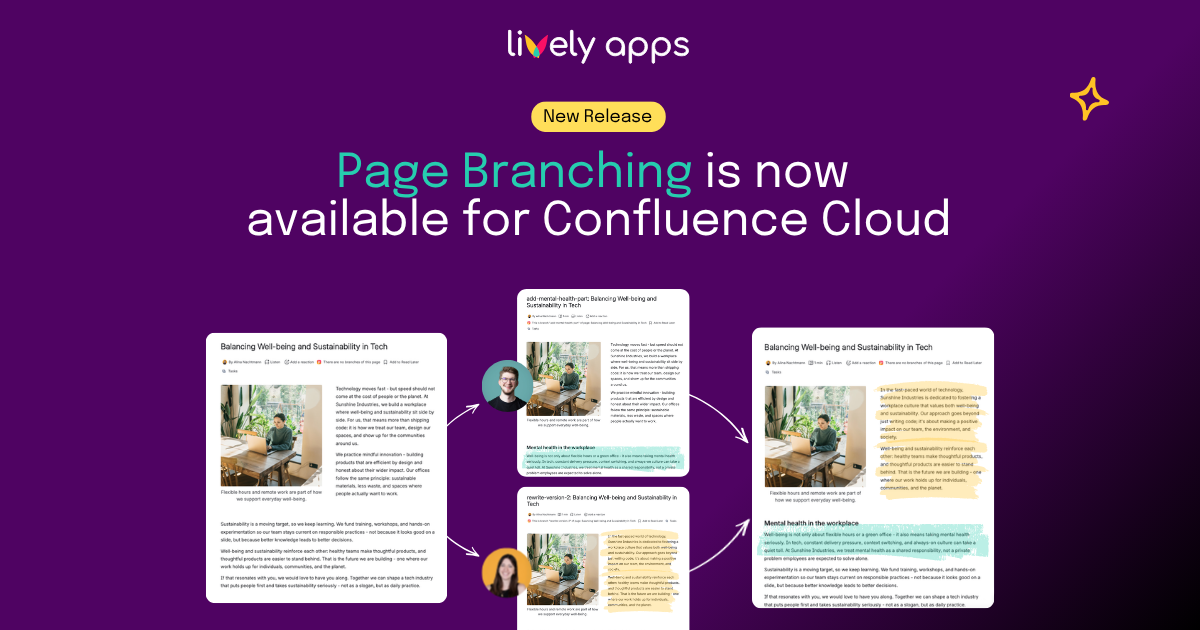
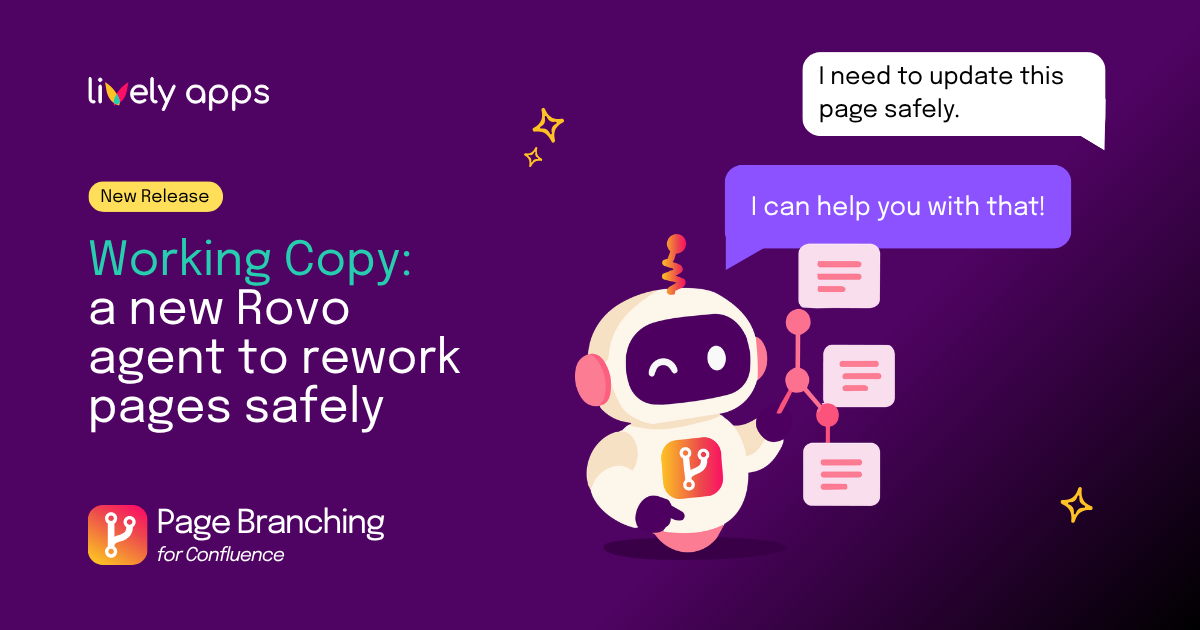
Page Branching has always solved this with copies of a page you can work on safely. Now you can start that workflow with a single sentence: Working Copy, a new Rovo agent for Page Branching, sets up a copy of the page you are on and helps you publish it when the work is done.
Start from the page you are on
Open Rovo chat on a Confluence page, choose Working Copy, and tell it you want to work on the page. Rovo sets up a working copy for you, and the live page stays untouched while you make your changes in the copy.
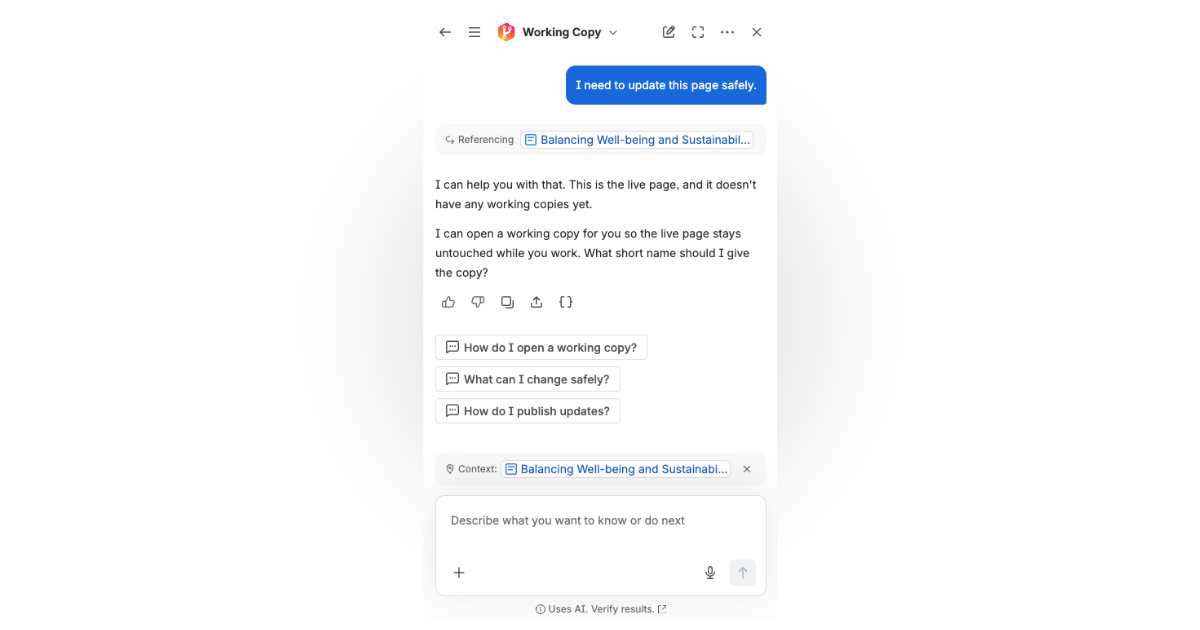
You edit in the Confluence editor exactly as you always do - Rovo never writes page content itself. Rovo also knows where you are. It recognizes whether the page in front of you is a live page or a working copy, and which live page a copy belongs to. If a page already has working copies, Rovo names them so you carry on in one of them instead of opening yet another.
Know what is in the way before you publish
Before you publish, ask Rovo how the working copy stands. It tells you whether the copy still differs from the live page and whether anything is blocking publication, so there are no surprises at the last step.
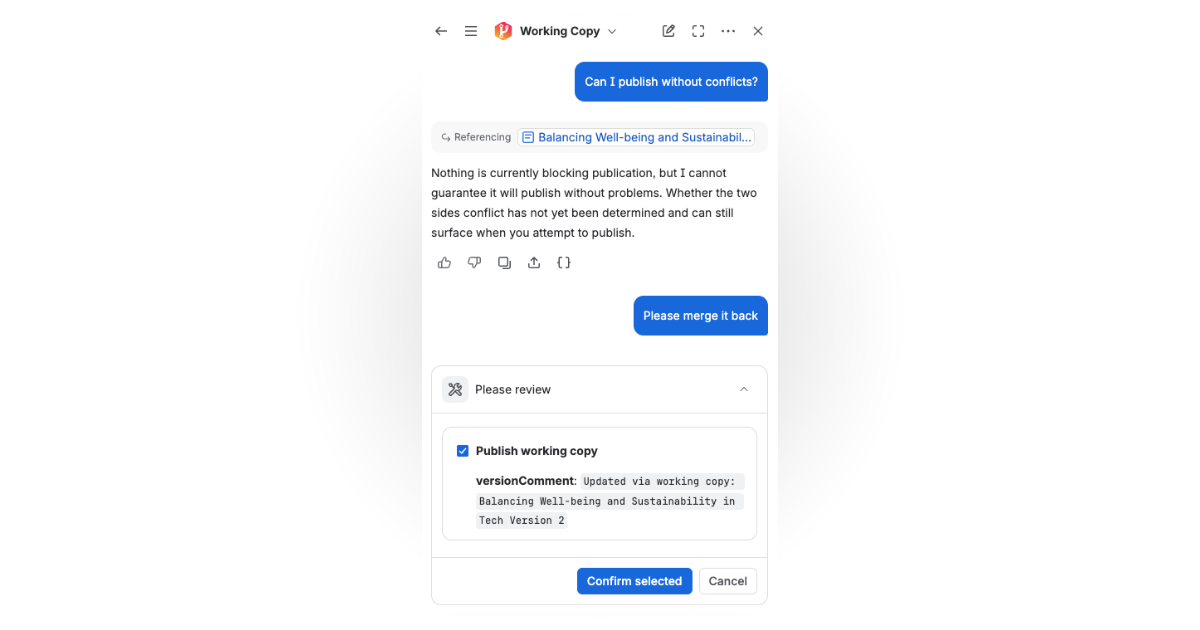
Publishing is always safe. It goes through the normal merge, and Rovo asks you to confirm before anything is written to the live page. If a working copy is behind its live page, publishing is refused - not just in Rovo, but everywhere in the app, in line with what the page controls already showed. Outdated copies and conflicts go back to the controls on the page, because Rovo never resolves a conflict on its own. You sort it out where you can see exactly what changes, then ask Rovo to publish again.
Who is this for?
Already using Page Branching? Your workflow stays the same: the same copies, the same diff, the same merge. Working Copy simply gives you a quicker way in. Ask Rovo right on the page to open a copy or to publish one.
New to Page Branching? Page Branching lets you work on a copy of a Confluence page, compare it with the live version, and publish your changes when they are ready. With Working Copy, you can start by just asking Rovo.
Get started
Page Branching for Confluence Cloud is on the Atlassian Marketplace. Install it, create your first branch, or simply ask Rovo for a working copy of the page you have been putting off updating.
- 📄 Product documentation: Page Branching for Confluence Cloud
- 🗓️ Release notes: Page Branching 2.3.0
- 🛒 Try Page Branching on the Atlassian Marketplace
Questions or feedback? Reach us via Lively Apps Support.