Hi there,
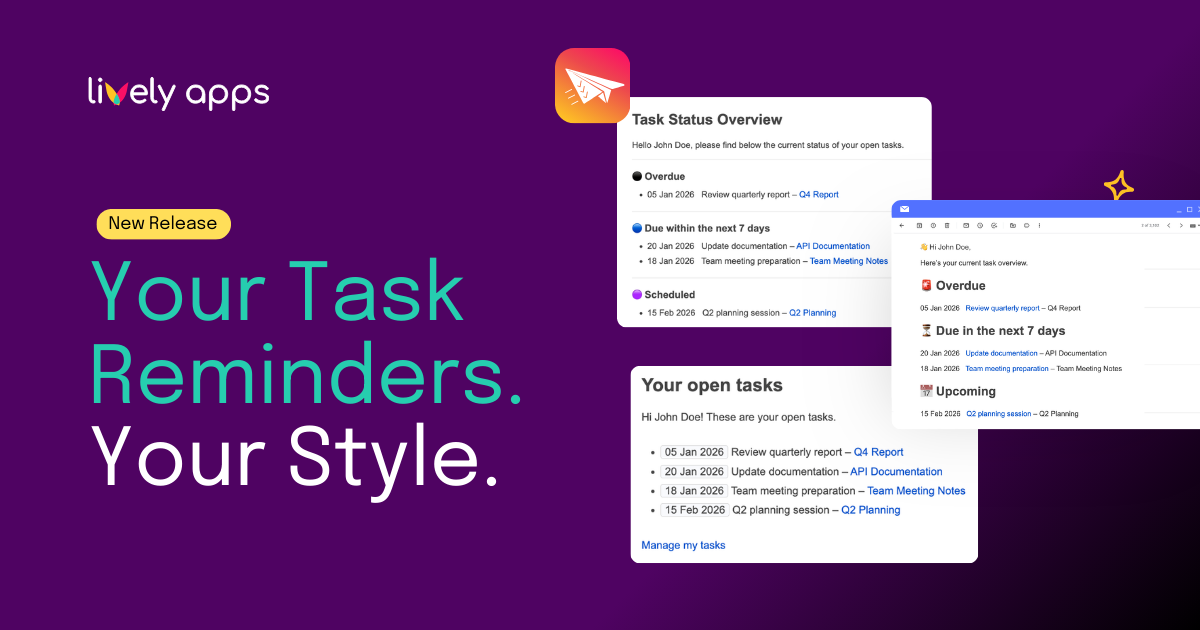
Email reminders are powerful when they match the way your team communicates. With the new Email Templates feature in Task Reminder for Confluence Cloud, you can now customize how reminder emails look and read inside Confluence.
No more one size fits all notifications.
Your reminders. Your tone. Your style.
Make reminders match your team’s voice
Admins can now customize:
- The email subject line
- The email body text
- Dynamic placeholders such as user names, due dates, and task details
Placeholders automatically insert the relevant information for each recipient. This keeps every reminder personal, clear, and actionable.
You can adapt reminders to:
- Match your internal tone of voice
- Add helpful context or instructions
- Highlight urgent deadlines
- Reflect your company’s communication style
The result is simple. Emails that feel intentional instead of generic.
Preview before you activate
Before activating your template, you can preview exactly how the email will appear.
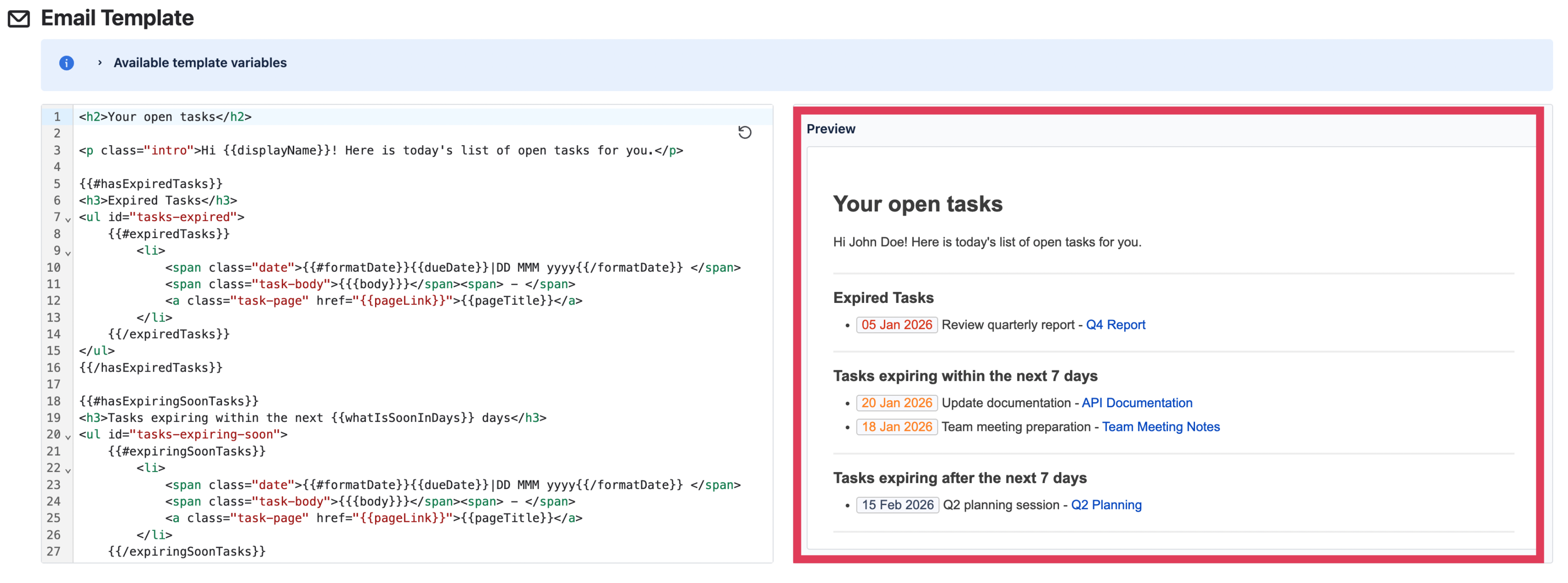
This gives you full control and confidence. You see what your team will receive before it is sent.
Made for admins. Enjoyed by the whole team.
Email Templates are adjusted once by an admin and applied automatically for everyone. That means no extra effort for your team. Just a better experience.
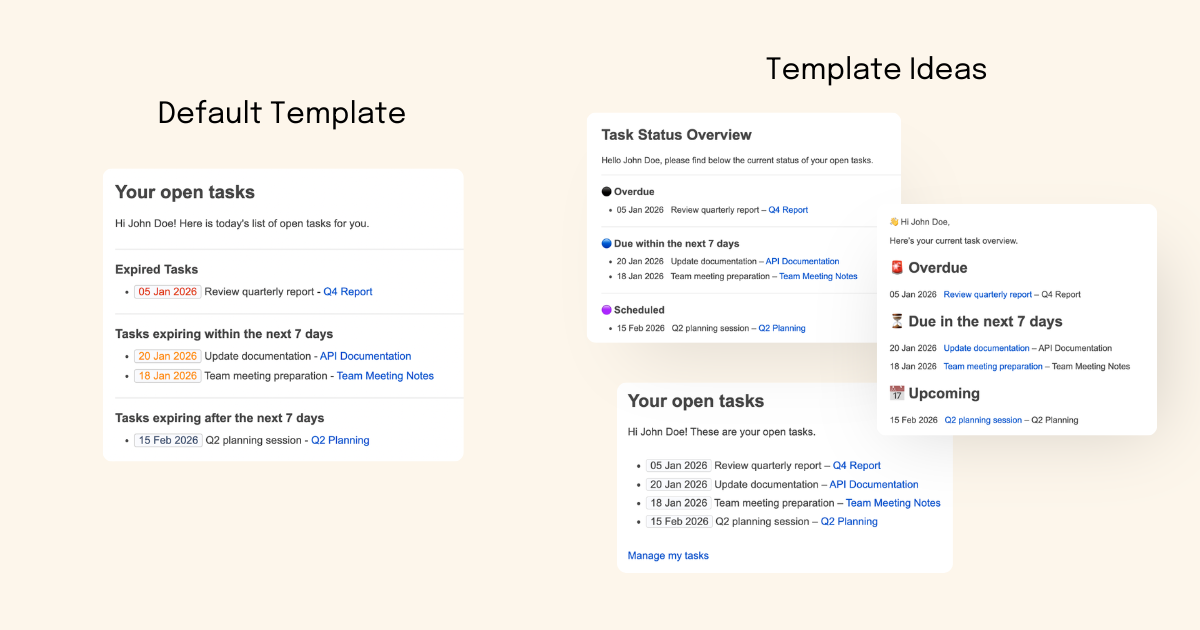
And there is another benefit that should not be underestimated. A refreshed layout, clearer emphasis, or slightly adjusted wording can make reminder emails feel new and more engaging. A small visual change can catch the eye and increase attention.
Sometimes a bit of variation is exactly what helps reminders stand out.
Why this matters
Reminder emails drive action. When communication is clear and aligned with your team’s style, tasks get completed faster and follow ups become smoother. This update enhances flexibility while improving the overall user experience.
Available now
Email Templates are now available in Task Reminder for Confluence Cloud. If you’re already using the app, simply head to the admin settings to get started. New to Task Reminder? Explore it on the Atlassian Marketplace and start your free trial.
Best,
Alice from Lively Apps