Hi there,
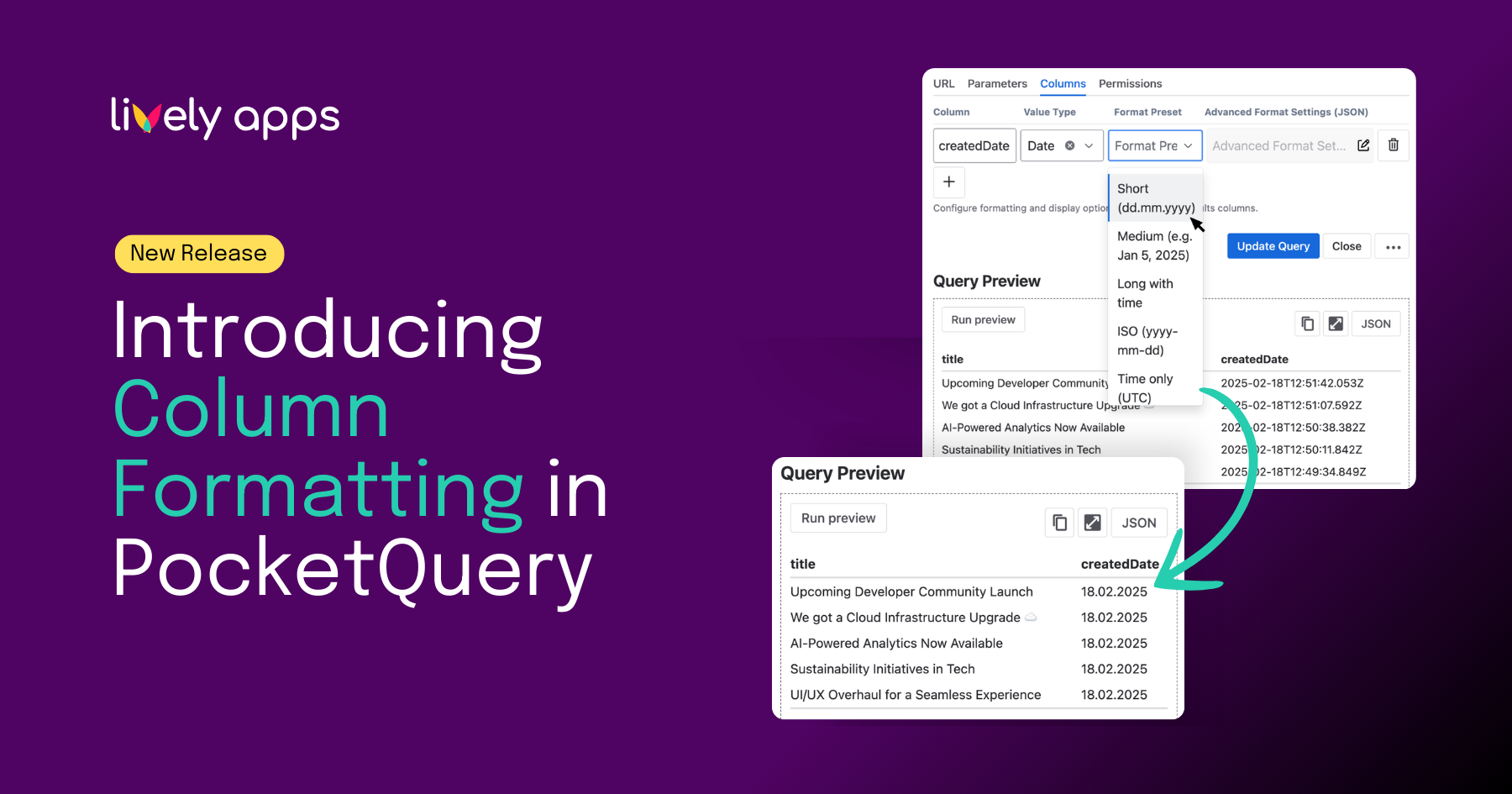
PocketQuery brings your data into Confluence - Jira, SQL, REST APIs, and more. With Column Formatting, you choose how each column looks: readable dates, tidy numbers, clickable links, and clear status badges. Point and click, no code required.
Why it matters
Your data tells a story. Raw timestamps like
don't. A formatted date like Feb 27, 2025 does. Column Formatting lets you make those choices quickly, so your Confluence pages look professional and readable from day one.
Supported value types
Column formatting currently supports the following value types:
The full list of format presets (date styles, currency options, boolean formats, and more) is in the Column Formatting documentation.
How to get started
- Open your PocketQuery query in the admin
- Go to the Query → Columns section (or the formatting options for your query type)
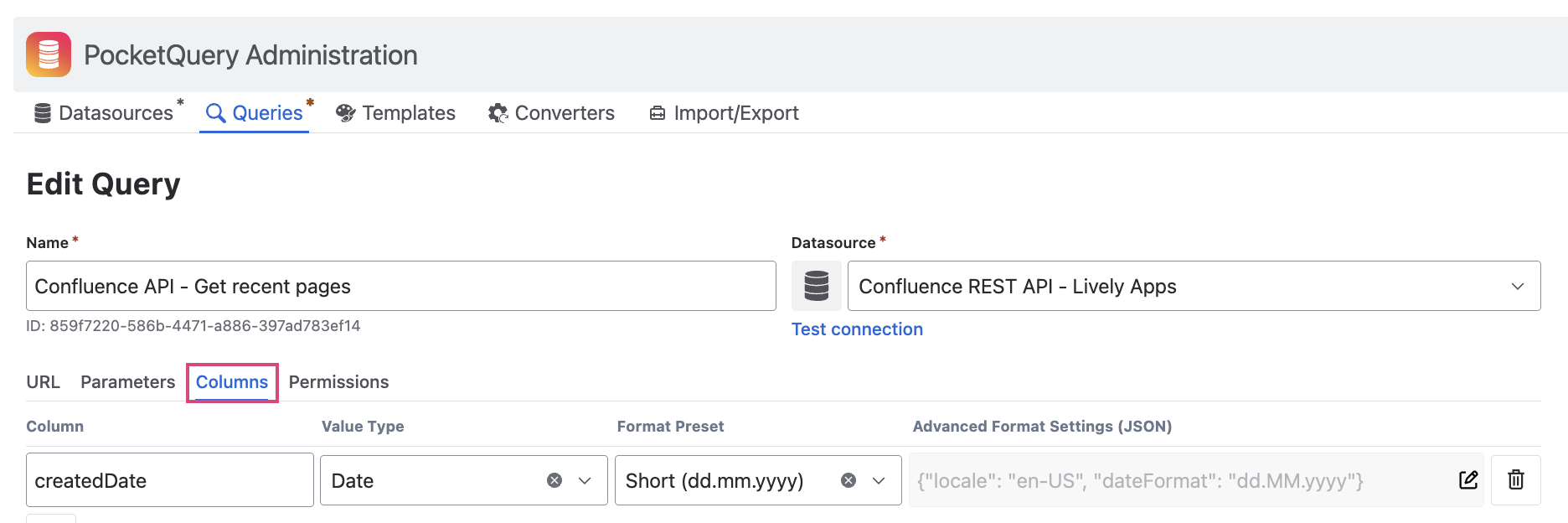
- Select the column you want to format
- Pick a value type (Date, Number, Currency, Boolean or Text) and configure the options
- Save your query and refresh the Confluence page where the PocketQuery macro is used
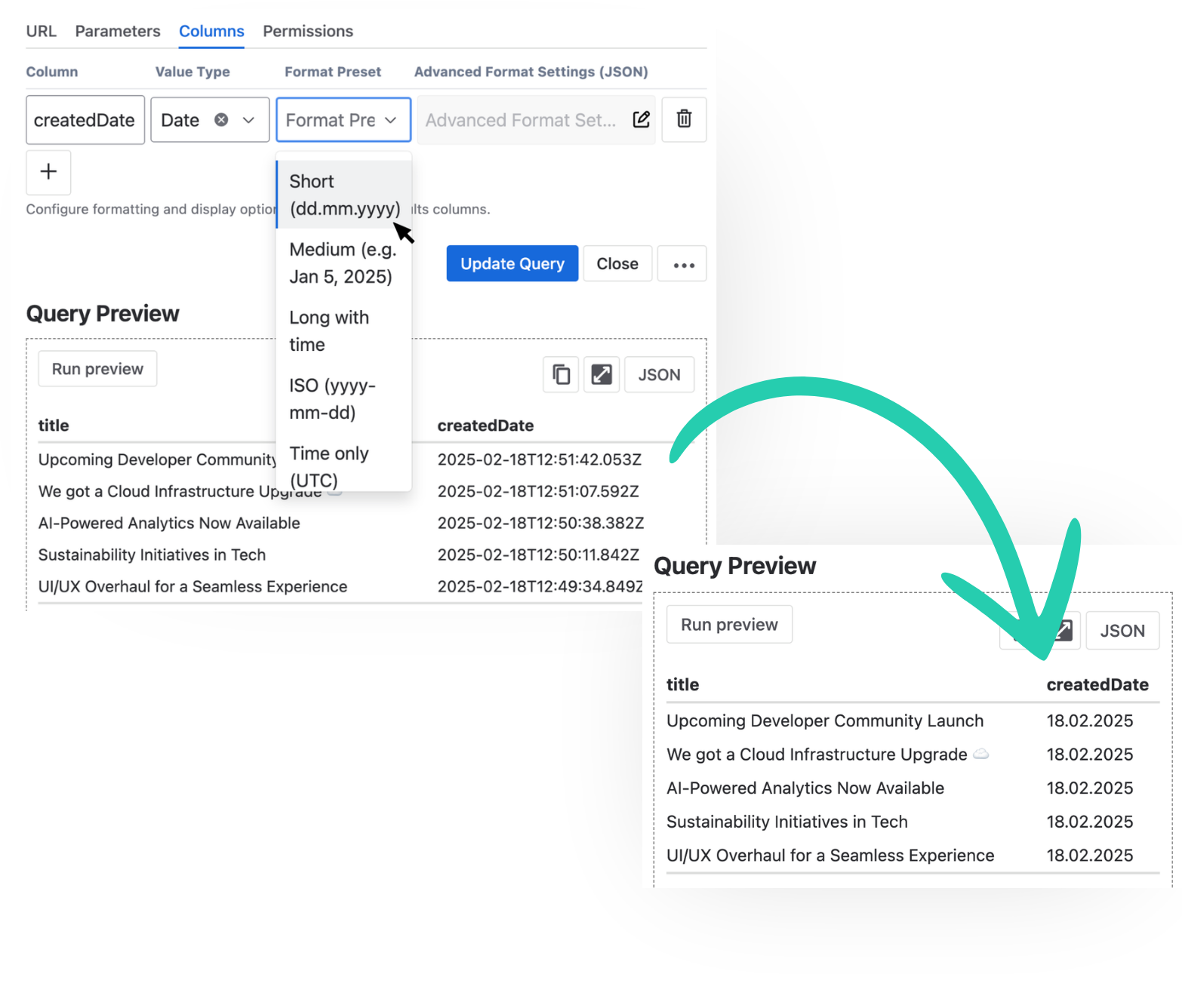
Your data will update with the new formatting. No code, no template edits. Just a few clicks.
A quick example
Say you have a query that returns a simple list: task name and due date. Raw data often looks like this:
With date Column Formatting applied to the Due Date column:
Same data, readable dates. No template code required.
Format your columns - presets or custom
Point-and-click for common cases. Use the preset options for dates, numbers, links and boolean formats to get professional results fast. Great when you want something working in minutes.
Advanced Format Settings when you need more. If none of the available format presets described in Column Formatting match your use case, you can define your own format and combine multiple format options in the Advanced Format Settings field.
This means for you:
- Professional reports in a few clicks. Teams that want polished Confluence pages get exactly that. Configurable, predictable, and fast.
- Easy to get started. Point, click, done. No template code to learn unless you choose to go custom.
Try it out
Column Formatting is available in PocketQuery for Confluence Cloud (currently in beta). Enable it from the query settings, pick your columns, and choose how each one should display.
👉 Try PocketQuery for free
👉 Documentation and release notes
Questions? Reach out - we're happy to help. 👍
Best,
Alice from Lively Apps


.png)